How Celigo simplifies NetSuite integrations to automate business processes, eliminate manual data entry, and improve operational efficiency

Why Businesses Need Connected Systems
Most growing businesses do not run on a single system. They run on an ERP for finance and operations, a CRM for sales, an ecommerce platform for customer-facing transactions, plus separate tools for shipping, payments, and marketing. Each of these platforms does its own job well, but when they are not connected, the cracks between them start to show.
Disconnected systems create duplicate data, manual work, reporting delays, and operational inefficiencies that quietly drain time and money from every department. A sales rep closes a deal in the CRM, but someone still has to re-key that order into the ERP. A customer places an order online, but inventory levels in the warehouse system take hours to catch up. None of these gaps are dramatic on their own, but together they add friction to every part of the business, and that friction compounds as transaction volume grows.
Integration is no longer optional. It is essential for business agility and the kind of consistent customer experience today’s buyers expect from every interaction, whether they are ordering online, calling support, or working with a sales rep. Oracle NetSuite paired with Celigo has become one of the most effective combinations for building a genuinely integrated business ecosystem, connecting ERP, CRM, ecommerce, and more without the cost and risk of custom-built integrations that take months to develop and are difficult to maintain.
This article walks through how NetSuite and Celigo work together, the business processes they can automate, the common challenges organizations run into along the way, and how to plan a NetSuite Celigo integration that actually delivers measurable results for CIOs, IT managers, CFOs, COOs, and ecommerce leaders alike.
Understanding the Integration Challenge
Before looking at solutions, it is worth understanding exactly why this problem is so common, even among businesses that have invested in strong individual platforms.
Why Businesses Struggle with Multiple Systems
The root problem is almost always the same: ERP, CRM, ecommerce, accounting, and inventory systems operating independently, each with its own version of customer and product data. Teams end up transferring information manually between departments, which inevitably leads to duplicate customer and product records, delayed financial and operational reporting, and inconsistent experiences for the customer on the other end of it all.
Business Impact of Poor Integration
The cost of disconnected systems shows up in ways that are easy to underestimate until they are measured. Businesses running on siloed systems typically see lost productivity as staff perform the same data entry twice, higher operational costs from manual workarounds, increased data errors that ripple into reporting and billing, slower order processing that frustrates customers, and limited visibility into what is actually happening across the business at any given moment.
What Is Celigo?
Before diving into specific integrations, it helps to understand exactly what Celigo is and why it has become such a common part of the NetSuite ecosystem for growing businesses.
Introduction to Celigo
Celigo is a cloud-based Integration Platform as a Service, or iPaaS, purpose-built to connect Oracle NetSuite with the other applications a business relies on. It is a low-code platform, meaning integrations can be configured and adjusted without heavy custom development, and it comes with a library of prebuilt integration templates and connectors for popular CRM, ecommerce, payment, and shipping platforms.
Why Celigo Works Well with NetSuite
Celigo’s deep, native NetSuite connectivity is what sets it apart from generic integration tools. Because it was built with NetSuite’s data model and business logic in mind, deployment is typically much faster than building custom integrations from scratch. It also offers easy monitoring and error management, so IT teams can see exactly what is syncing and what needs attention, along with a scalable integration architecture that grows as the business adds new applications over time.
Why Integrate Oracle NetSuite with Other Business Applications?
The case for integration becomes clear once you look at what changes for the organization once systems are actually talking to each other, rather than operating as isolated tools that happen to share a company name.
Create a Single Source of Truth
Connecting NetSuite to CRM, ecommerce, and other platforms synchronizes customer, product, inventory, and financial data across every system, giving leadership and staff alike consistent information to make decisions from, rather than reconciling conflicting reports.
Reduce Manual Work
Automated data flows eliminate repetitive data entry between systems, which in turn reduces human error and frees up valuable employee time for higher-value work instead of copying records from one screen to another.
Improve Business Agility
Integrated systems support faster business processes, better collaboration across departments, and real-time information availability, all of which make a business more responsive to customer needs and market changes.
Common NetSuite Integrations Using Celigo
Celigo maintains a library of prebuilt connectors for the platforms businesses rely on most, which means most NetSuite integrations do not need to be built from scratch. Below are some of the most common integrations organizations implement, along with the specific processes each one automates.
NetSuite + Salesforce CRM
This integration synchronizes accounts, contacts, leads, opportunities, quotes, and orders between the two platforms, improving the quote-to-cash process and giving sales teams real-time visibility into ERP information like inventory and order status without leaving Salesforce.
NetSuite + Shopify
A NetSuite-Shopify integration synchronizes products, customers, orders, inventory, and fulfillment, improving ecommerce operations and significantly reducing order processing time for online sellers.
NetSuite + WooCommerce
For WooCommerce merchants, Celigo enables automated order imports, inventory synchronization, and consistent customer data management between the storefront and NetSuite.
NetSuite + Magento / Adobe Commerce
This integration supports real-time inventory updates, product catalogue synchronization, and automated order fulfillment, keeping Magento and Adobe Commerce storefronts aligned with what NetSuite actually has in stock.
NetSuite + Amazon Marketplace
Selling on Amazon adds its own complexity, which Celigo addresses by importing marketplace orders automatically, syncing inventory levels across channels, and simplifying financial reconciliation between Amazon and NetSuite.
NetSuite + Payment Gateways
Integrations with payment gateways such as Stripe, PayPal, and Razor-pay automate payment reconciliation, matching transactions to orders and invoices without manual bank statement review.
NetSuite + Shipping Platforms
Connecting NetSuite with shipping platforms like ShipStation, FedEx, UPS, and DHL automates shipping labels, tracking numbers, and delivery updates, keeping customers informed without manual intervention from the fulfillment team.
NetSuite + Marketing Automation Platforms
Integrating NetSuite with marketing platforms such as Salesforce Marketing Cloud, HubSpot, and Mailchimp synchronizes customer and campaign data, so marketing teams can segment and target based on actual purchase and account data rather than a separate, outdated list.
Key Business Processes Automated with Celigo
Beyond individual application connections, the real value of a NetSuite Celigo integration shows up in the end-to-end business processes it automates. These processes typically span multiple systems and departments, which is exactly where manual hand-offs cause the most delay and error.
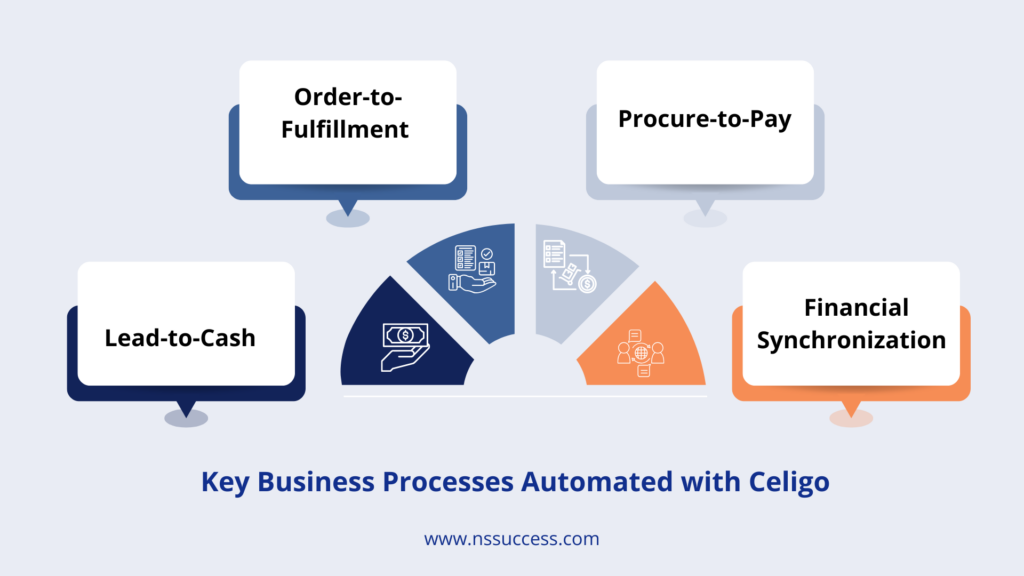
- Lead-to-Cash: Celigo can automate the full lead-to-cash flow, moving data from CRM into NetSuite, converting an opportunity into a sales order, generating the invoice, and updating payment status, all without manual hand-offs between sales and finance.
- Order-to-Fulfillment: From the moment an ecommerce order comes in, Celigo can automate inventory allocation, warehouse picking instructions, shipping, and customer notification, compressing what is often a multi-step manual process into a connected, automated flow.
- Procure-to-Pay: On the purchasing side, integrations can automate purchase orders, vendor updates, inventory receipts, and accounts payable processes, reducing the administrative load on procurement and finance teams.
- Financial Synchronization: Celigo also supports automated revenue updates, customer payment syncing, general ledger synchronization, and tax reporting, keeping NetSuite’s financial data accurate and current without manual reconciliation at month-end.
Benefits of NetSuite Celigo Integration
Once NetSuite is properly connected to the rest of the technology stack, the benefits extend well beyond IT convenience. They show up directly in day-to-day operations, financial reporting, and the experience customers have with the business.

- Real-Time Data Synchronization: With Celigo in place, information stays accurate across every connected system, eliminating the need for manual imports and exports between platforms.
- Faster Order Processing: Automated workflows remove the delays that come with manual order entry, helping businesses fulfill orders faster and keep customers satisfied.
- Improved Customer Experience: Accurate inventory counts, faster shipping, and better communication all stem from having connected systems that reflect reality in real time.
- Better Financial Accuracy: Automated reconciliation across payments, orders, and the general ledger reduces accounting errors and shortens the time it takes to close the books.
- Increased Employee Productivity: When repetitive data entry is automated away, teams can focus their time on strategic work instead of manually keeping systems in sync.
- Scalable Integration Platform: Celigo makes it straightforward to add new business applications as the company grows, which means the integration platform supports future digital transformation rather than becoming another system to replace.
Common Integration Challenges (and How Celigo Solves Them)
Every integration project runs into a similar set of obstacles. The table below outlines the most common ones and how Celigo is designed to address each.
| Challenge | How Celigo Solves It |
|---|---|
| Data Silos | A unified integration platform that connects every system to a single, shared data flow |
| Duplicate Records | Automated matching and synchronization rules that catch conflicts before they multiply |
| Integration Complexity | Prebuilt connectors and templates that remove the need to build integrations from scratch |
| API Limitations | Intelligent scheduling and API management that respects platform rate limits |
| Error Handling | A centralized integration dashboard with automated notifications and retry mechanisms |
| Business Growth | Easily scalable integrations that expand as new systems and processes are added |
Best Practices for Successful NetSuite Celigo Integration
A NetSuite Celigo integration is as much a business process project as it is a technical one. Organizations that follow a disciplined approach tend to see faster deployment and fewer surprises after go-live.
- Define Clear Business Objectives: Before touching any configuration, identify exactly which business processes need automation and why. A clear objective keeps the integration project focused on outcomes rather than technical scope creep.
- Standardize Data Before Integration: Clean customer, product, and financial data before it moves between systems. Migrating messy data through an integration only spreads existing problems across every connected platform.
- Map Business Processes Carefully: Take the time to understand exactly how information flows across departments today, so the integration reflects how the business actually operates rather than an idealized version of it.
- Start with High-Impact Integrations: Prioritize the integrations that deliver the most immediate value, typically CRM-to-ERP and ecommerce-to-ERP, before expanding into secondary systems.
- Monitor Integration Performance: Track sync success rates and review integration logs regularly so issues are caught early rather than surfacing weeks later as a reporting discrepancy.
- Train Business Users: Make sure teams understand the automated workflows now running behind the scenes, so they trust the data in front of them and know what to do if something looks off.
- Work with an Experienced Integration Partner: Partnering with a team that has hands-on NetSuite and Celigo experience reduces implementation risk and accelerates deployment, especially for businesses running multiple interconnected systems.
Why Choose NSSuccess for NetSuite Celigo Integration
Choosing the right implementation partner often matters as much as choosing the right platform. A partner who understands both NetSuite’s data model and Celigo’s integration architecture can avoid costly missteps that a generalist integrator might miss.
Our Integration Expertise
NSSuccess brings hands-on expertise across Oracle NetSuite implementation, Celigo integration services, Salesforce and NetSuite integration, ecommerce integrations, custom workflow automation, and post-implementation support.
Our Approach
We follow a structured approach built around business process assessment, integration strategy, implementation, testing, training, and continuous optimization, so every integration is designed around how your business actually operates rather than a generic template. This structured methodology is what allows us to deliver integrations that hold up under real transaction volume, not just in a demo environment.
Conclusion: Build a Connected Enterprise with NetSuite and Celigo
Business success increasingly depends on connected systems and seamless information flow between them. Oracle NetSuite combined with Celigo eliminates data silos and automates the mission-critical business processes that used to require manual effort and constant reconciliation, freeing teams to focus on growth instead of data entry.
Whether you are integrating CRM, ecommerce, finance, or logistics platforms, Celigo helps organizations improve efficiency, accuracy, and scalability without the cost and risk of custom-built integrations. With the right implementation strategy and an experienced partner, businesses can reduce manual effort, improve customer experiences, and accelerate digital transformation across every department, not just IT.
Frequently Asked Questions (FAQs)
What is the difference between Celigo and a custom API integration?
Celigo relies on prebuilt connectors and a low-code platform, which makes deployment faster and easier to maintain than a fully custom API integration. Custom integrations can offer more flexibility for highly unique processes, but they typically take longer to build and require more ongoing developer support.
How long does a typical NetSuite Celigo integration take to implement?
Timelines depend on how many systems are being connected and how complex the underlying business processes are, but many single-platform integrations, such as NetSuite to Shopify or NetSuite to Salesforce, can be deployed in a matter of weeks using Celigo’s prebuilt templates as a starting point.
Can Celigo handle multiple integrations at the same time?
Yes. Celigo’s platform is designed to manage multiple concurrent integrations, whether that means connecting NetSuite to a CRM, an e-commerce platform, and a shipping provider all at once, or adding new connections incrementally over time.
Does Celigo work with industry-specific or custom-built applications?
Beyond its library of prebuilt connectors, Celigo also supports custom integrations through its integration app framework, making it possible to connect NetSuite to less common or industry-specific platforms as needed.
What happens if a sync fails between systems?
Celigo’s integration dashboard flags failed syncs, sends automated notifications, and can be configured with retry mechanisms, so errors are caught and resolved quickly rather than silently causing downstream data issues.
Is Celigo secure enough for enterprise NetSuite integrations?
Yes. Celigo includes enterprise-grade security features such as encrypted data transmission, role-based access controls, audit logs, and compliance with industry security standards. These capabilities help organizations protect sensitive business data while maintaining secure integrations across multiple applications.
Can existing NetSuite integrations be modified as business needs change?
Yes. Celigo’s low-code platform makes it easy to update integration workflows, add new fields, modify business rules, or connect additional applications as your business evolves. This flexibility reduces the need for rebuilding integrations from scratch whenever requirements change.
Do I need coding experience to manage Celigo integrations?
Celigo’s integration: Not necessarily. Most day-to-day integration tasks, such as configuring data mappings, monitoring syncs, and updating workflows, can be performed through Celigo’s visual interface. However, developers can also extend integrations with custom scripting or API logic when advanced business requirements arise.
Start Building a Smarter, Connected Enterprise
Looking to integrate Oracle NetSuite with Salesforce, Shopify, Magento, or other business applications?NSSuccess helps organizations design, implement, and optimize NetSuite Celigo integrations that automate workflows and improve business performance. Contact our integration specialists today to build a smarter, connected enterprise.
 “NS Success” is the NetSuite Consulting Practice of Dhruvsoft Services Private Limited – a leading NetSuite Solution Provider Partner from India – providing services worldwide …